Have you lost important files because you forgot to save them and your system shut down all of a sudden? When you turn on the PC and don’t find those files, you feel like helpless. A good number of people believe it is not possible to recover such files. But the fact is – you can get the data back by restoring temp files using Data Recovery Software.
Can I get the lost or formatted data back from memory card?
This is a question asked by many persons who have formatted their memory card accidently or deleted some photo, audio or video files. This distressing thing always happens, especially when you have something really im
How Can I recover the lost and formatted data back?
This is a question asked by many persons who have formatted their memory card accidently or deleted some photo, audio or video files. This distressing thing always happens, especially when you have something really important in your memory card when any family members or roommates carelessly delete the data or format the card.
Don’t panic, if you have lost the data anyhow, and you don’t have any backup. You still have chances to recover the data, including images, video and audios, etc. from the deleted or formatted memory card. Amrev Data Recovery Software is suitable solution to recover data from memory card.
Amrev Data Recovery Software is right software you can use to –
- Recover data from formatted memory card
- Recover from memory card, flash memory card and external hard drives.
- Recover photos, videos, audio files, text files, and emails
- Recover data loss as a result of formatting or “Delete All” operation
- Recover data from Samsung, Sandisk, Integral, Kingston, PNY, Panasonic, Lexar, Verbatim, Sony, and Fujifilm, etc.
Recover Lost Files in Minutes
Recover deleted files, formatted drives, USB drives, memory cards and hard disks with Amrev Data Recovery Software.
How to recover data from formatted memory card?
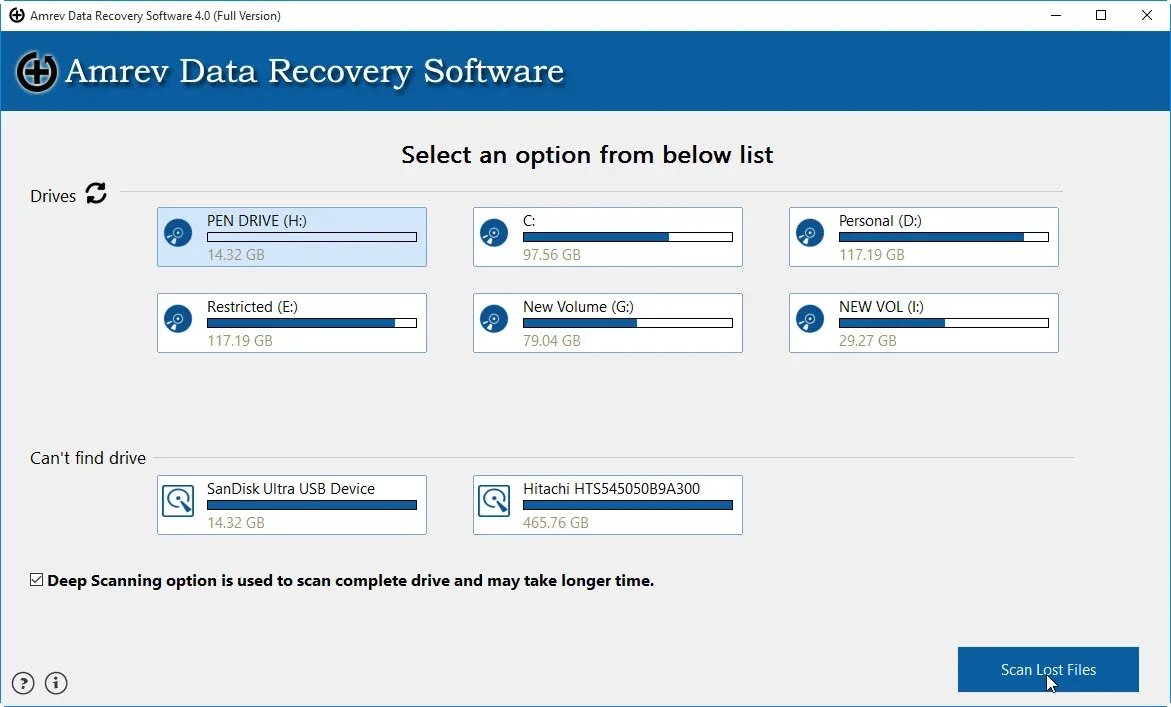
Step 1 : Download and Install Amrev Data Recovery Software. Select a drive along with “Deep Scanning” option and click on “Scan Lost Files” button.
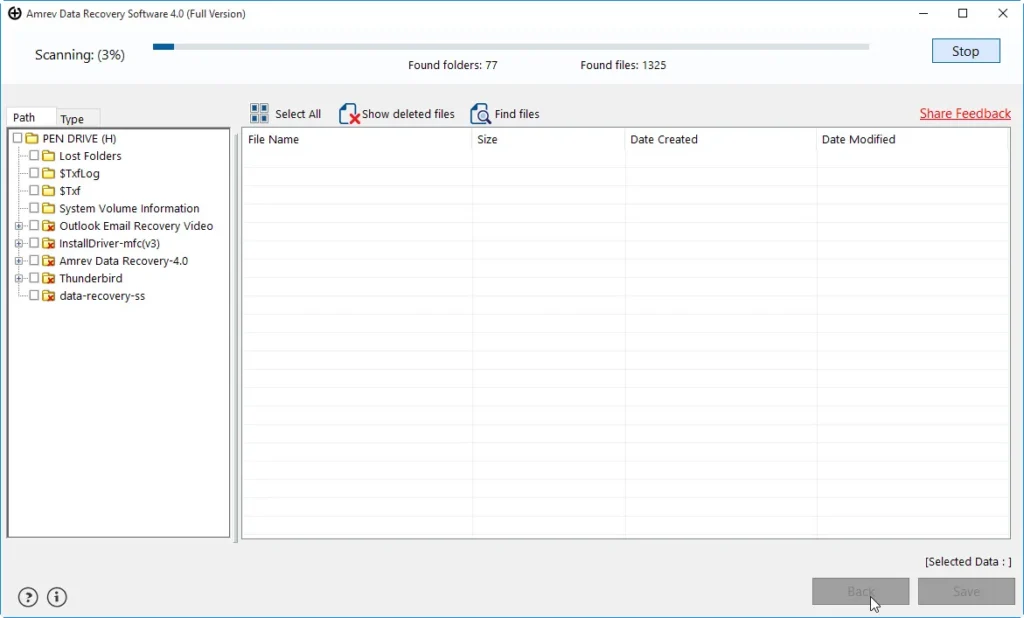
Step 2 : Once you press button, recovery process will get initiated.
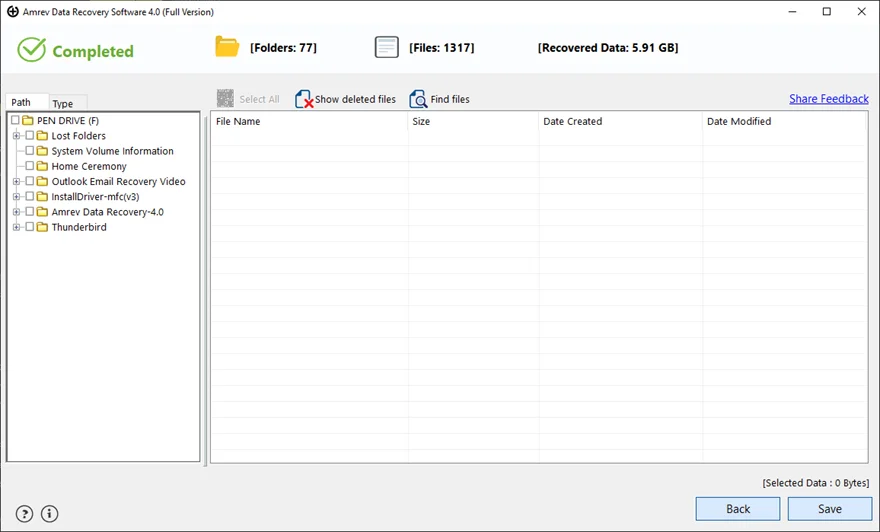
Step 3 : After completion of the scanning process, the recovered files are displayed in a well organized tree like structure. Select the files and folders you want back and click on “Save” to save on your machine.